See what your AI agents changed.

One live map of your system, for Claude Code and Codex.

The Nesoko app on an example project: an agent adds a sign-up page to the Website, Nesoko holds its one edit to the API until you allow it, then you review and approve.

Who it’s for

From one agent to every agent in your company.

Free

Individuals

See what your agents are building, and understand your own repo again.

  • Your repo as a live map, every agent on it
  • Each agent kept to its part; one clean diff to review
  • Pro developers, solo builders, students and learners
Join the Mac beta

Waitlist

Teams

One live map of everyone's agents, across machines.

  • Warnings when two people's agents collide, across machines
  • Owners approve crossings into their parts
  • Weekly “what changed, by part, by agent, and why”
Join the team waitlist

Talk to us

Companies

Every agent in the company, under one set of rules.

  • Org-wide rules pushed to every agent: always, never, ask before
  • Ownership synced with CODEOWNERS
  • Audit log of every hold and approval
  • SSO and roles; a metadata-only server, so code never leaves laptops
  • Works across Claude Code and Codex
Talk to us

Team and Company plans are in development.

Students and learners

Learning how systems fit together?

  • See your project drawn as a map of parts.
  • Click any part and ask “what does this do, and why is it built this way?” Answers say “seen in code” or “best guess”.
  • Start from an idea: agents sketch the system as a map before writing code, then build it part by part.
  • Quick checks, like “which part sends the welcome email?”
Free for students

For teams

One map. Every teammate’s agents. The memory of why.

Your vendors show their own sessions on one machine. Nesoko keeps one picture of the whole system across people, machines and vendors, and remembers why each part changed.

Team plan in development · join the waitlist to be one of the first teams

Live team map · Billing
  • Maya’s Builder · Claude CodeAdding retries to renewalsWorking
  • Sam’s Tester · CodexSame part as Maya’s Builder, on another MacHeads up
  • Owner: Priya · BillingApproved Sam’s edit after Maya’s landsApproved
Weekly digest · what changed, by part
  • Billing 4 changesMaya + Builder (Claude Code)Why: Retry failed renewals before cancelling a plan
  • API 2 changesSam + Tester (Codex)Why: Rate limits on the sign-up route
  • Website 3 changesLee + UX (Claude Code)Why: Pricing page redesign from the client's notes

Examples of the Team plan, which is in development. Names are made up.

  • Live team map

    Every teammate's agents on one map of your system, per part, as they work: who, which tool, and one plain line of what it's doing.

  • Collision warnings across machines

    When two people's agents head for the same part, both see it before either writes. The part's owner approves or holds.

  • Weekly “what changed, by part”

    One digest: each part that changed this week, which person and which agent, and the one-line why. For the team, or the client.

  • Shared history

    The memory of each part, kept across people, machines and vendors, so no agent and no new teammate starts from zero.

  • Ownership

    Each part has an owner. Edits from outside wait for them, and everyone can see who to ask.

On your own Mac

The same map runs your agents.

Free for individuals: start agents on parts, keep each one in its own part, answer questions in place, and review one clean diff per agent.

  1. Open a folder.

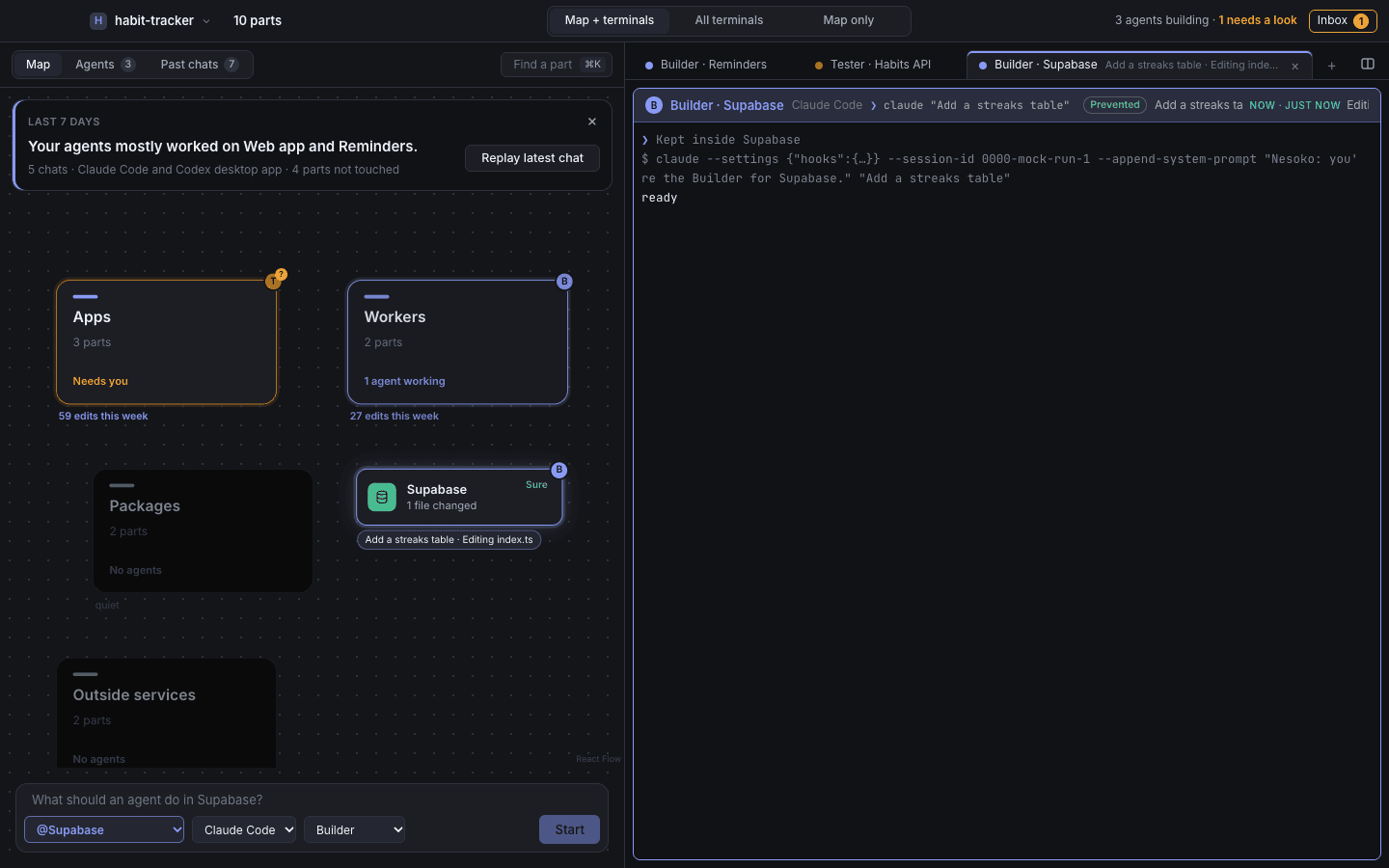
    Nesoko reads your repo and draws the map. Or describe a new idea and it sketches one.

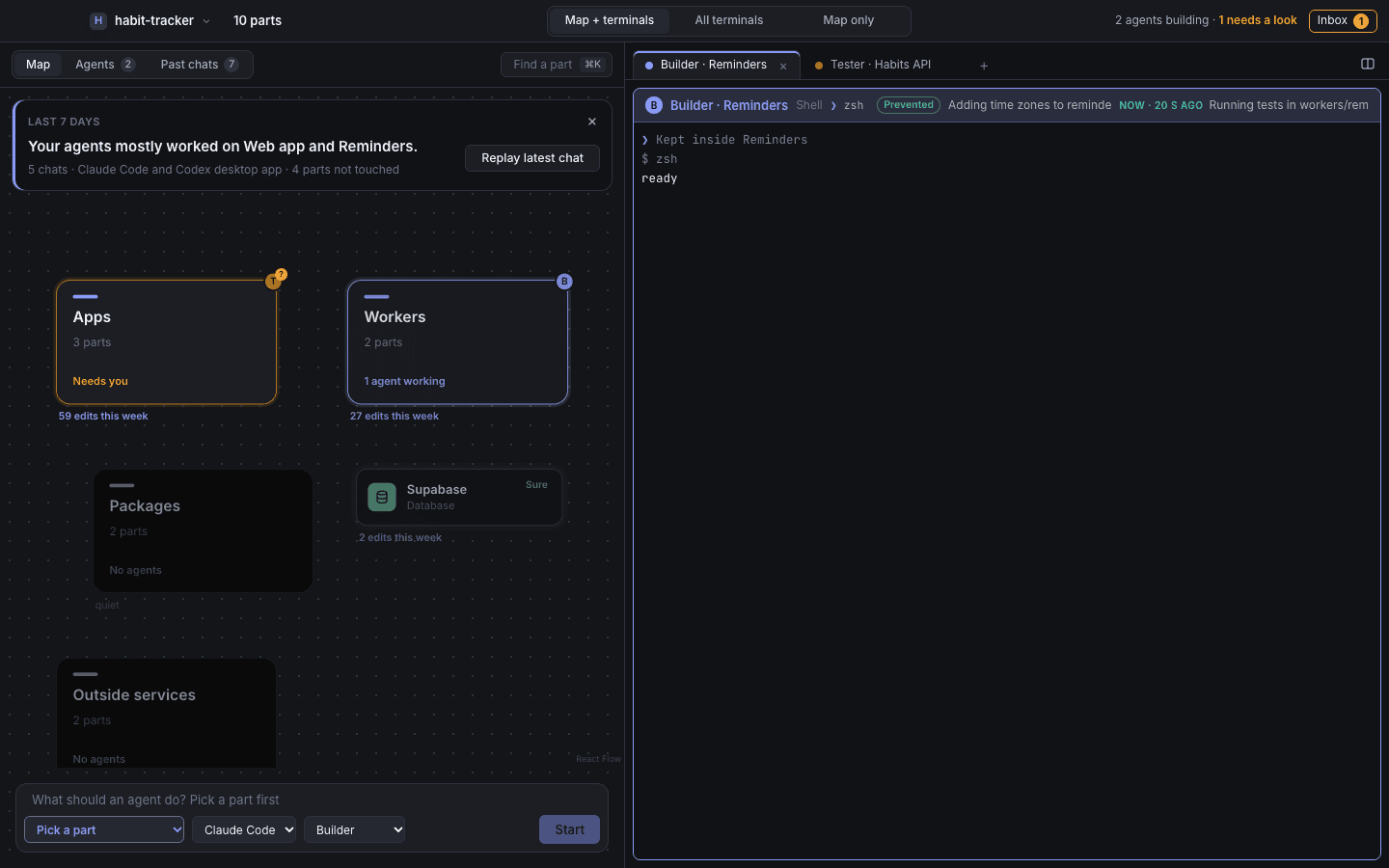
    The Nesoko window: a map of an example repo on the left, one card per part, and agent terminals on the right.
  2. Start agents on parts.

    Pick a part, type what you want. A real Claude Code or Codex terminal opens beside the map.

    The Start box with a part picked and a task typed in, and a new agent terminal running beside the map.
  3. Watch and answer.

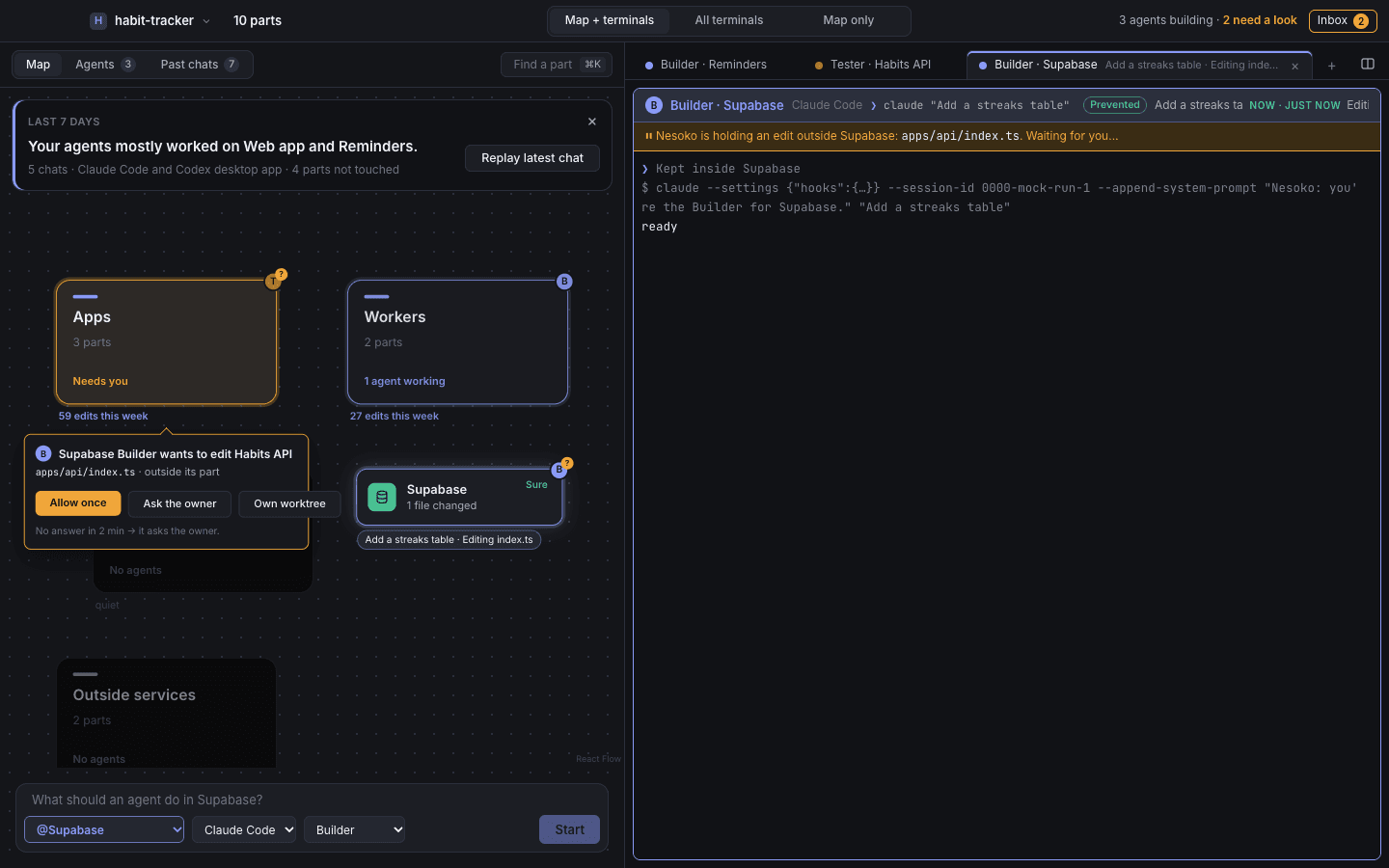
    Each agent says what it's building. An edit outside its part waits for you: allow it once, or ask the owner.

    An amber bubble on the map: the agent wants to edit a file outside its part, with Allow once and Ask the owner buttons.
  4. Review and approve.

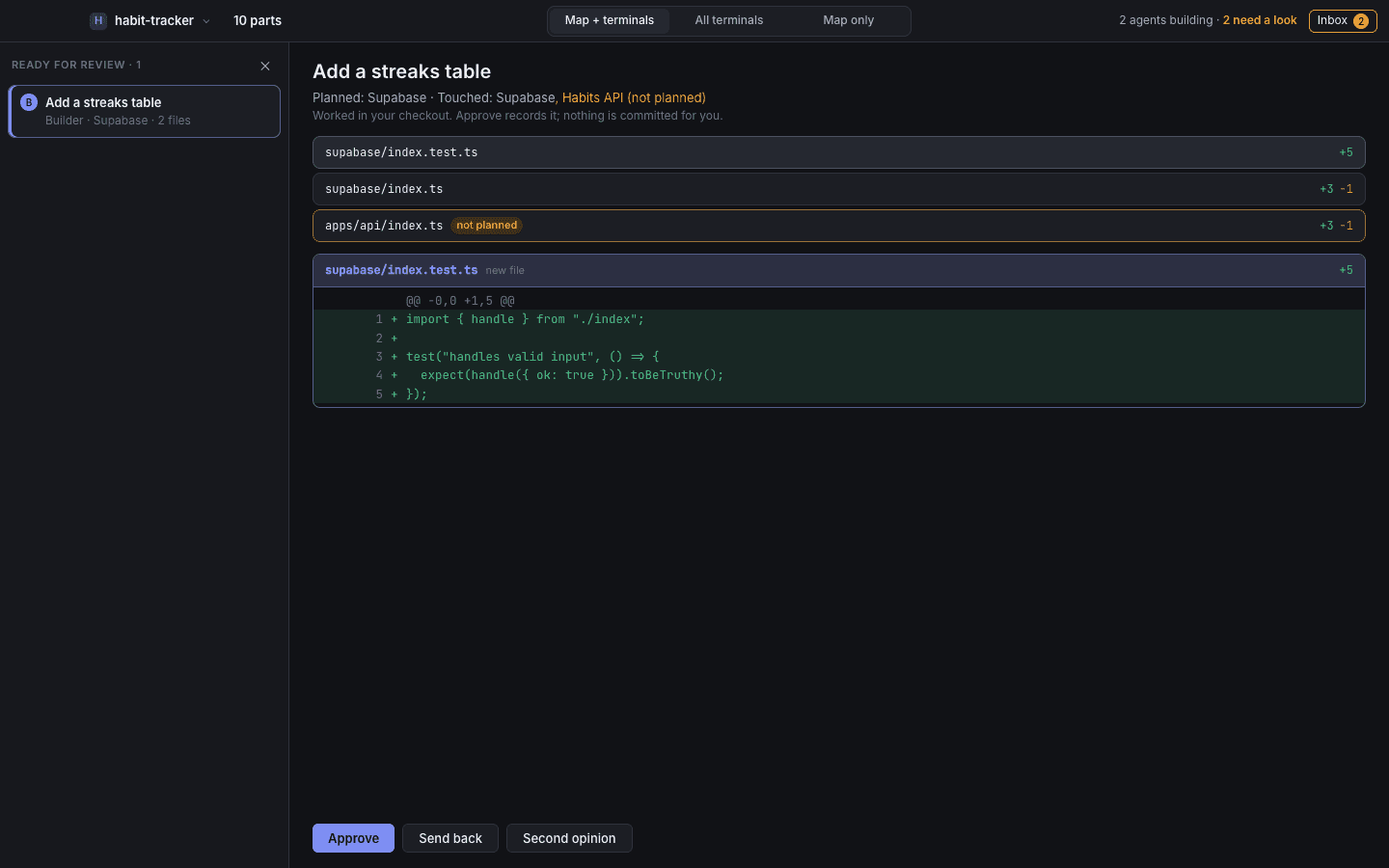
    See what changed on the map, checked with git. Approve, send back, or ask for a second opinion.

    The review queue: planned vs. touched parts, the changed files, and a diff with Approve, Send back and Second opinion.

Screenshots from the app running on an example project.

In 30 seconds

Watch it, sound off.

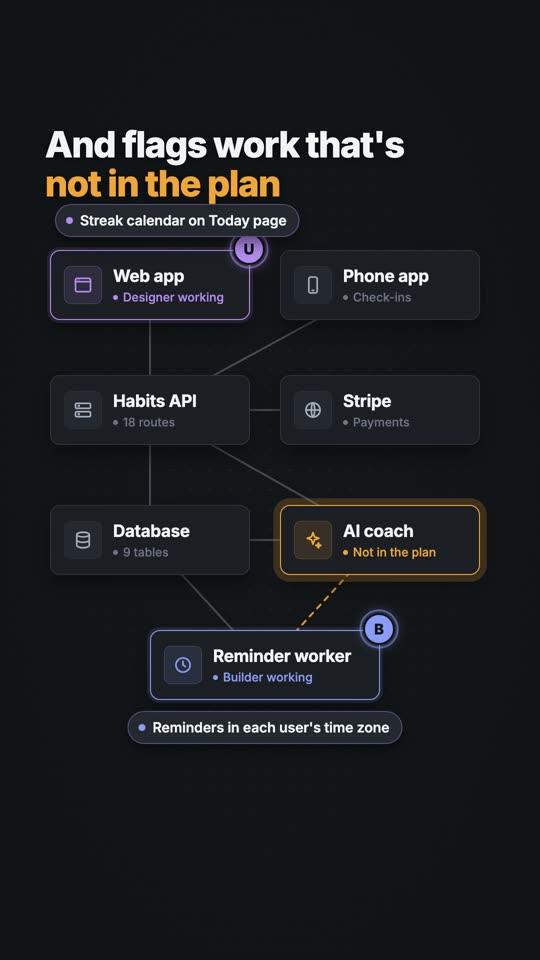
  • Five agents, one map: a still from the video

    Five agents, one map

    Each dot says what it's building.

  • Two agents, one file: a still from the video

    Two agents, one file

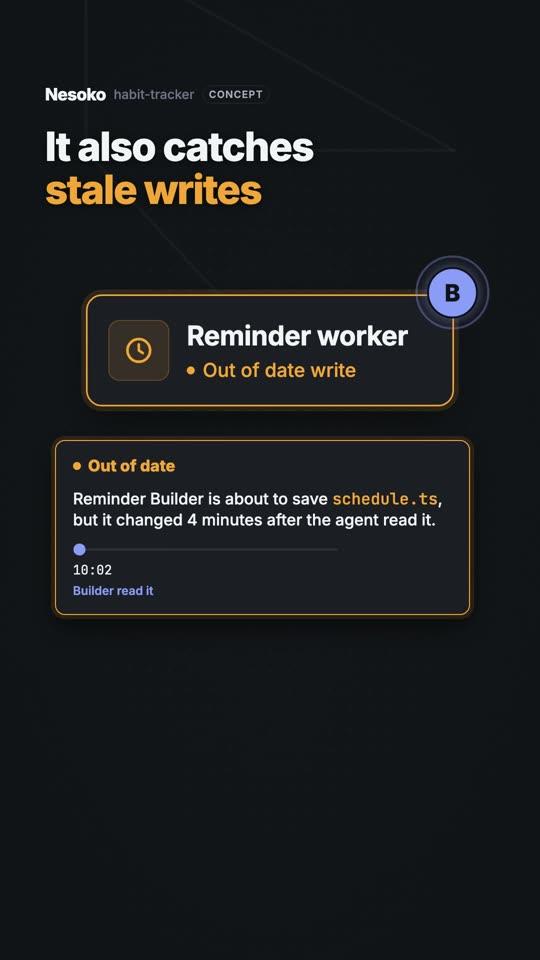
    Caught before one overwrites the other.

  • What is a backend?: a still from the video

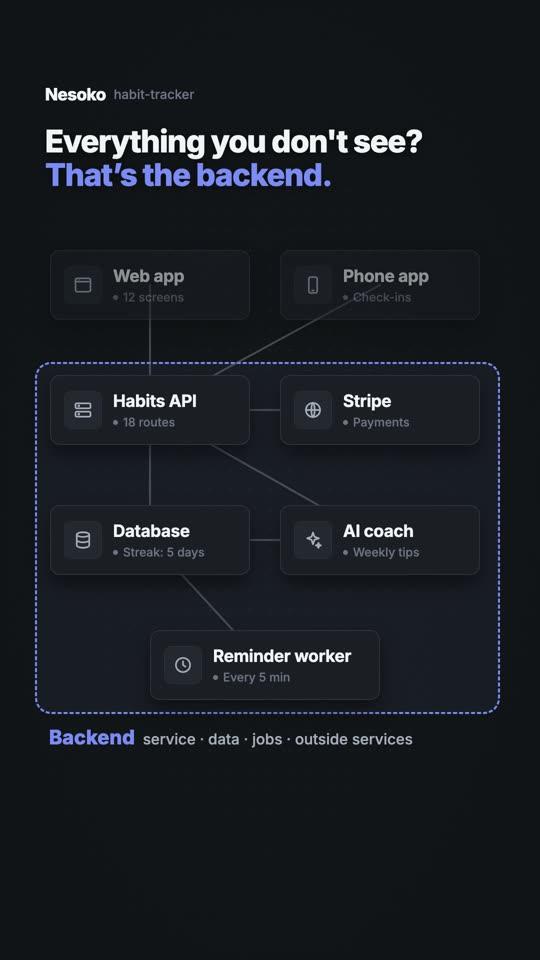
    What is a backend?

    Learn it on a real app's map.

Pricing

Free for individuals. Plans for teams and companies.

Nesoko doesn’t run its own AI, so you never pay twice for models. Team and Company prices aren’t set yet.

Free for individuals

Free

One person, on their own Mac. Students too.

  • The live map of your repo, with every Claude Code and Codex agent on it
  • Memory per part in your repo: what changed, which agent, and why
  • Run and review your own agents, each kept to its part
  • The open .nesoko format and scanner
Join the Mac beta

Team

Join the waitlist

Teams of 3–20 and agencies running agents on shared code.

  • Live team map: everyone's agents, per part
  • Collision warnings across machines; owners approve crossings
  • Weekly “what changed, by part, by agent, and why”
  • Shared history and ownership per part
Team plan — join the waitlist

In development. Price not set yet.

Company

Talk to us

Every agent in your company, under one set of rules.

  • Org-wide rules pushed to every agent: always, never, ask before
  • Ownership synced with CODEOWNERS
  • Audit log of every hold and approval
  • SSO and roles; metadata-only server
Talk to us

In development. Price not set yet.

Privacy

Your code stays on your machines.

Precisely what happens, and where.

Stored on your Mac
The map, notes and history live in plain files in your repo (.nesoko/). No cloud copy of your code, ever.
The team server stores metadata only, never code
With a Team or Company plan: part names, which person and which agent touched a part, when, the one-line why, who owns what, and the log of holds and approvals. Never source code, diffs, file contents, prompts or chats.
Sent only through your own account
Your code goes to Claude (Anthropic) or OpenAI only when you run an agent or ask Explain, through your own account, as it does today. Nesoko adds no server in between.
Anonymous usage is off unless you turn it on
If you choose to share it, the app shows the exact JSON first: fixed events and rough sizes, never code, file names or prompts.
This waitlist
Stores your email and the optional answers below: your tools, who you are, and for teams a size and company name. Nothing else, and never your code.

FAQ

Questions.

Does our code go to Nesoko's server?

No. Nesoko reads your repos on each Mac. The Team and Company server stores metadata only: which part changed, which person and agent, when, the one-line why, and who owns what. Never source code, diffs, file contents, prompts or chats.

Does my code leave my Mac?

Not because of Nesoko. Your code goes to Claude (Anthropic) or OpenAI only when you run an agent or ask Explain, through your own account, the same way your agents already work.

Which agents work?

Claude Code and Codex, side by side on one map. More later.

We already use Claude Code, Codex or Cursor. Why this?

Each shows its own sessions on one machine. Nesoko keeps one map and one memory of what changed and why, across every vendor, every teammate and every team.

Is there a plan for companies?

Yes. The Company plan adds org-wide rules pushed to every agent (always, never, ask before), ownership synced with CODEOWNERS, an audit log of every hold and approval, and SSO with roles, on the same metadata-only server. It's in development; talk to us through the waitlist.

Do we have to change how we work?

No. Your agents, accounts and terminals stay the same. Nesoko adds the map, the memory and the warnings.

Where does the memory live?

In each repo, in plain files (.nesoko/), so agents and teammates never start from zero. With a Team or Company plan, the shared history (metadata only) is also on the server so everyone sees it live.

Are the Team and Company plans available?

Not yet. The Mac app is in beta for individuals; the team server is being built. Join the waitlist to be one of the first teams.

What does it cost?

Free for individuals. Team and Company prices aren't set yet. Nesoko doesn't run its own AI, so you never pay twice for models.

Is it for agencies?

Yes. The map and each part's history are the hand-over: what each part is, what changed, which agent did it, and why.

I'm a student. Is this for me?

Yes, and it's free. Open any project and the map shows how it's put together.

Does it run on Windows or Linux?

Not yet. Mac first.
Mac beta · Team · Company

Join the waitlist.

Get the Mac beta now, and be one of the first teams and companies on the shared map. We’ll email you when your spot opens.

Free for individuals · Team · Company: join the waitlist

What do you use? optional
I'm… optional

Only your email and these answers are stored. Never your code.